

Topography and terrain
Prepare points, point clouds and mapping with elevations. Create surfaces and keep references to the source data.
VECTORIA CIVIL · CIVIL ENGINEERING
Work with topography, alignments and corridors in one environment. Ask Vector to help with operations, then review the geometry, calculations and deliverables.
Demos without registration · Technical review remains your responsibility
VECTORIA CIVIL IN ACTION
Explore real alignment and corridor work in this preview.
WHAT YOU CAN DO
Prepare points, point clouds and mapping with elevations. Create surfaces and keep references to the source data.
Work with alignments, profiles and cross sections. Inspect the relationship between geometry and terrain.
Define platforms and slopes, generate surfaces and compare cut and fill using TIN surfaces.
Develop junction elements and review how they fit in your project views.
Prepare layouts, exports, listings and draft reports for review.
Vector operates the project tools. The 3.1-IC checker uses the Spanish standards profile and its available coverage.
REAL DEMONSTRATIONS
Videos of the application from the Civil website. Watch without sharing your details. The recordings are in Spanish.
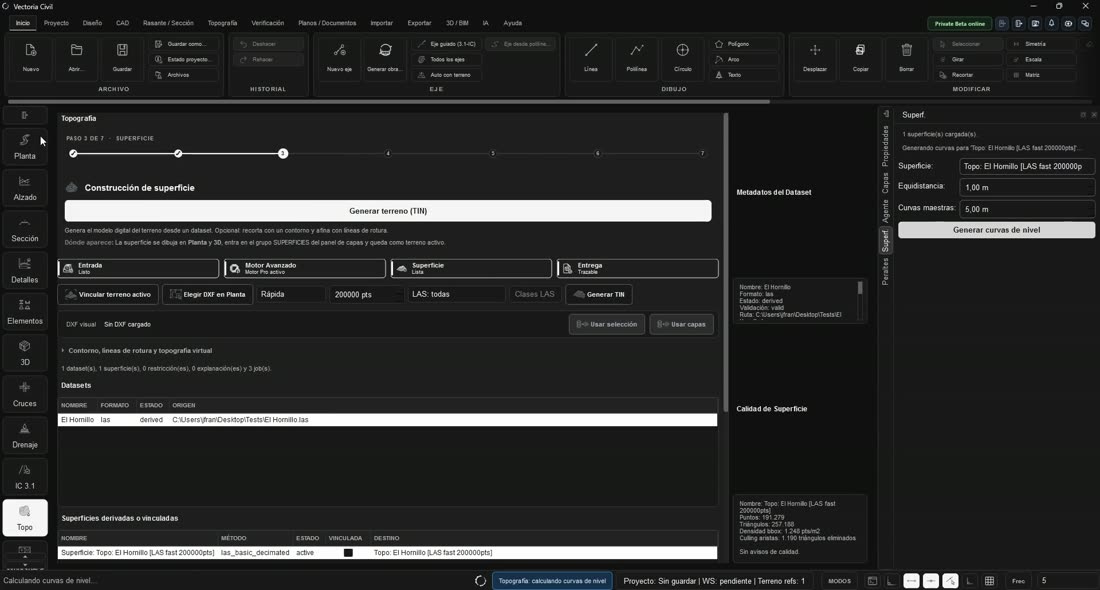
VIDEO · VECTORIA CIVIL
Preparing topographic data and representing the terrain within your project.
Watch demonstration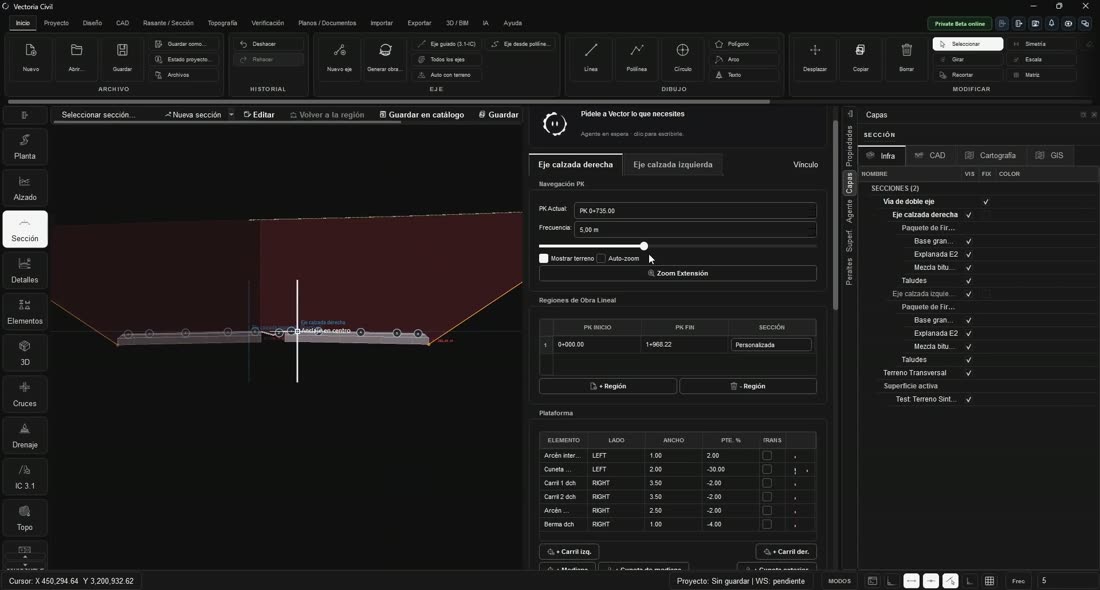
VIDEO · VECTORIA CIVIL
Horizontal geometry, profile and cross section working within the same project.
Watch demonstration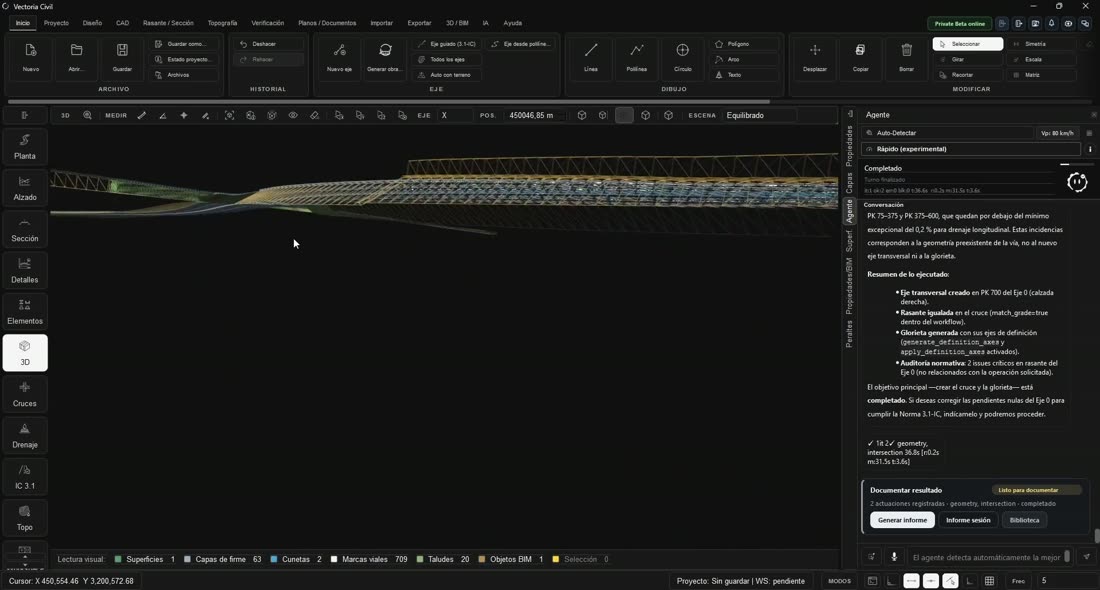
VIDEO · VECTORIA CIVIL
A look at junction design and its geometry in Vectoria Civil.
Watch demonstration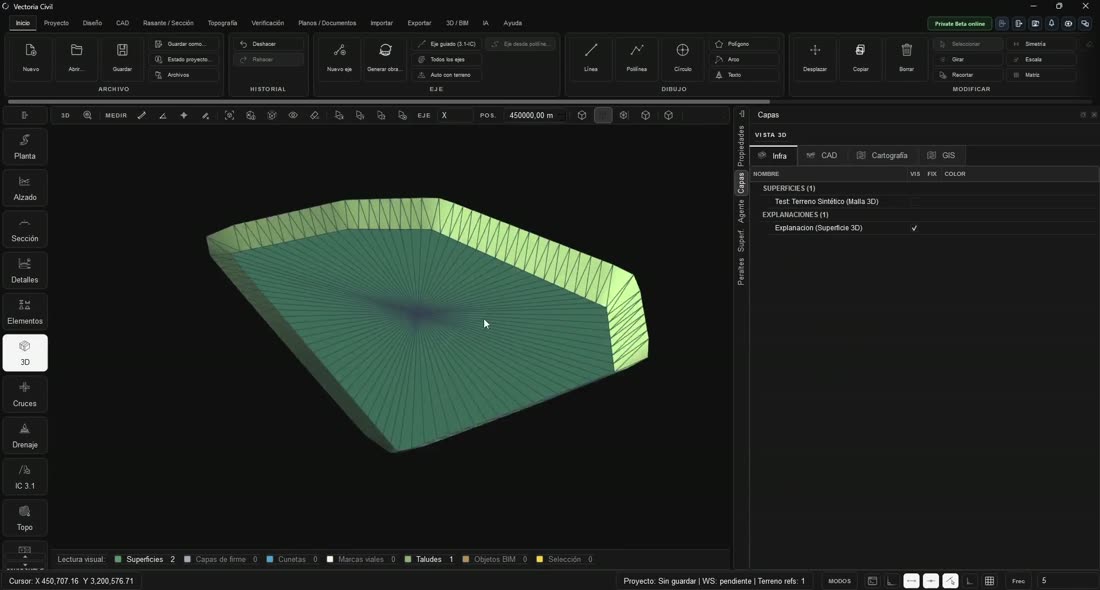
VIDEO · VECTORIA CIVIL
Platforms, slopes and surface comparisons for earthworks analysis.
Watch demonstrationAT YOUR OWN PACE
Review your source data and create a working base.
Combine precise editing with operations assisted by Vector.
Inspect the results and prepare the documentation.
CHOOSE HOW YOU WORK
Civil Base brings together civil engineering tools for one user. Vectoria Pro adds Cost Pro, Viewer Pro and an MCP connection for external agents. Studio includes that scope for five users.
One subscription and one AI allowance shared across the included products.
See what is includedBEFORE YOU START
Yes. The demonstrations on this page show workflows in the application and are available without registration.
Civil Base includes Civil for one user. Pro adds Cost Pro, Viewer Pro and an MCP connection for external agents for that user.
No. They provide checks within the coverage of the selected standards profile. The responsible engineer must review the data, results and documentation.
Your existing contractual conditions remain in place during their protection period. The new commercial offering does not change those conditions.
Direct integration of that workflow is not yet presented as an available capability. Each product has its own tools and formats.
WITH VECTORIA
Explore the workflows and choose the scope you need.
Watch Civil in action